
HDAS is closing - what can you do?

 HDAS is the Healthcare Databases Advanced Search interface that allows NHS OpenAthens users to perform literature searches across a range of healthcare specialist databases.

HDAS is closing 31st March 2022 and from that point onwards you will not be able to use the product.

What can you do?
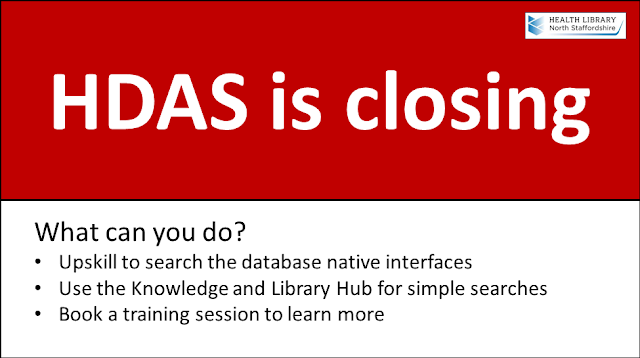
Red alert - you have options


Upskill to using the host platforms to search the healthcare databases

You will still have access to the major healthcare databases such as Cinahl, Embase, Medline, PsycInfo etc. After March 31st you will need to search these databases by using their host platforms.

Check our NHS Databases help page for tutorials and videos on using the host platforms.

Search the new NHS Knowledge and Library Hub

NHS HEE have released a new search product called the NHS Knowledge and Library Hub. This is a one-stop-shop, allowing you to search across a wide range of resources including databases, clinical support tools and ebooks.

Access the Hub from our NHS Resources web page.

Book a training session

Need more help? Want to know more about what you can do to get to the evidence you need? Contact our training team and find out more about the training sessions on offer to help you get to the right information.


Comments

Popular posts from this blog

Hot topic! Hantavirus

 With the cruise ship in port and the travellers heading home the Hantavirus outbreak has been in the news recently. Learn more about this disease from library resources. Check these resources for an overview, key points, diagnosis, treatment options, follow-up and more. [You will need your NHS OpenAthens username to access these resources] BMJ Best Practice – Hantavirus cardiopulmonary syndrome Oxford Medicine Online – Hantavirus cardiopulmonary syndrome in Clinical Infectious Disease (3 rd ed) Selected articles from our journal collection Critical care management of hantavirus cardiopulmonary syndrome. A narrative review , Journal of Critical Care , Ulloa-Morrison, Rodrigo; Pavez, Nicolas; Parra, Esteban; Lopez, Rene; Mondaca, Roberto; Fernandez, Paula; Kraunik, David; Sanhueza, Claudia; Bravo, Sebastian; Cornu, Matias Germán; Kattan, Eduardo, Vol. 84, p. 154867, 2024. Hantavirus in humans: a review of clinical aspects and management , The Lancet Infectious Dis...

Article integrity checks for NHS staff

Want to have extra quality and integrity checks for the articles you find? Use library NHS resources and get warnings if the article you're reading fails integrity checks. NHS resources use LibKey to easily point you to subscribed resources. Now LibKey also does a number of integrity checks to help you feel confident with the articles you find. You’ll get warnings about: Retracted articles Retracted article citation (where an article includes references to articles which have been retracted) Expression of concern for the article (where publishers have concerns about some aspect of a published article) Problematic publishers information Warnings are presented at point of access whether from article links in databases or on the web via LibKey Nomad. Make sure you use library resources so that you are using LibKey links and integrity checks. For more help please contact the eresources librarian c.kent@keele.ac.uk

Login to Library Search – step-by-step instructions for NHS staff

  Library Search is a discovery tool, allowing you to find items within the library collections. You can search Library Search without logging in to view books and ebooks available in our collections. By logging in to your library account on Library Search you can access a range of additional functionality, such as: Viewing details of your library account Submitting a request to hold a book for you Adding items to your e-bookshelf Saving searches Note that for NHS users logging in to Library Search does not give you access to full-text items. As an NHS member of staff you access online resources using your NHS OpenAthens username. Anatomy of a Library Card First let’s take a quick look at the most important components of your library card. Your library card and library card number give you access to print resources as well as library services. They confirm that you are a member of the library. Your name : this will be printed on your card, so you’ll know it’s yours!...