
Ovid eJournals – Bad Request Error

Error:
When linking to a large number of Ovid ejournal titles (between 10 and 15) from the NHS My Journals A-Z list you can encounter an error "Bad Request". This then prevents you from accessing further titles. See image below:
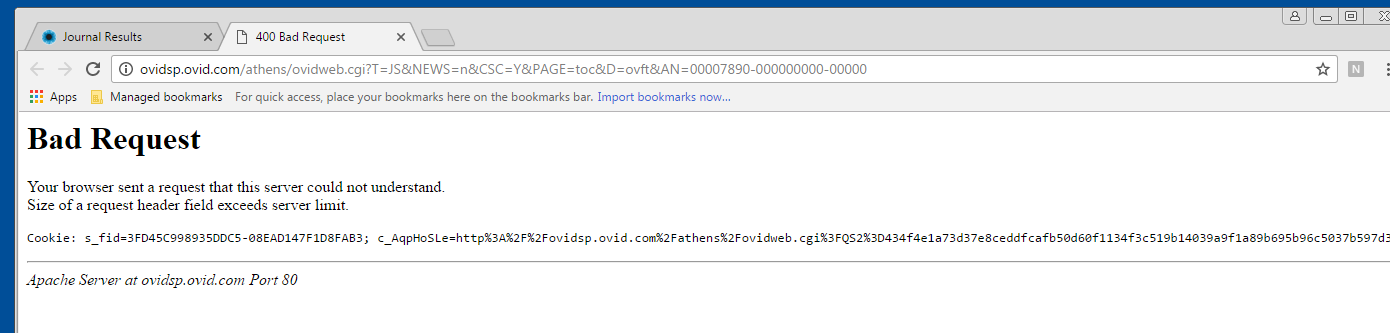
Screen-shot of an example Bad Request error


Ovid have suggested that this problem is caused by the Chrome browser not clearing the Ovid cookie.

Work Round:
You can clear the Ovid cookie. You will then be able to continue to view Ovid titles. Here are instructions on clearing cookies - it is the Ovid.com cookie that you need to delete.

Solution:
The error has been reported to both Ovid and NICE.


Known NHS eJournal problems are recorded on the Journal Problems and Fixes web page.

Comments

Popular posts from this blog

Ebsco database training in October 2026

 Ebsco are delivering a range of training opportunities this month as below. Please book for these online courses using the links below: Advanced Searching for CINAHL in EBSCOhost This 60-minute session will introduce advanced search concepts for searching in CINAHL on the EBSCOhost interface. In this session we will look at navigating the interface, the use of CINAHL (Subject) Headings, the application of filters, reviewing available options to save, share, download and export search results, as well as saving, editing and downloading searches and creating and managing alerts. • Wednesday, 14th October @ 2.00pm • Thursday, 29th October @ 10.00am   Exploring the NHS Knowledge & Library Hub – Updated This 60-minute webinar provides a comprehensive introduction to the Hub (EBSCO Discovery Service), featuring recent enhancements to the interface. • Tuesday, 27th October @ 2.30pm   Supporting Systematic Reviews Part 1 – Searching The first of two parts, ...

Login to Library Search – step-by-step instructions for NHS staff

  Library Search is a discovery tool, allowing you to find items within the library collections. You can search Library Search without logging in to view books and ebooks available in our collections. By logging in to your library account on Library Search you can access a range of additional functionality, such as: Viewing details of your library account Submitting a request to hold a book for you Adding items to your e-bookshelf Saving searches Note that for NHS users logging in to Library Search does not give you access to full-text items. As an NHS member of staff you access online resources using your NHS OpenAthens username. Anatomy of a Library Card First let’s take a quick look at the most important components of your library card. Your library card and library card number give you access to print resources as well as library services. They confirm that you are a member of the library. Your name : this will be printed on your card, so you’ll know it’s yours!...

Clinical key - finding journals video

Clinical Key is available to NHS staff working at UHNM. Here is a short video to help you to find journal titles on Clinical Key. Why don't you check out what journals are available in your specialty.