
ClinicalKey eBooks with Videos

Some of the ebooks within ClinicalKey now have accompanying videos. These are linked to the general content of the ebooks and include body part examination techniques.

To read ebooks and access the videos you need to have activated your account. On the ebook page you will see a new link if videos are available.

Screen-shot of ebooks page

Clicking the link will allow you to browse the index of videos associated with the book.
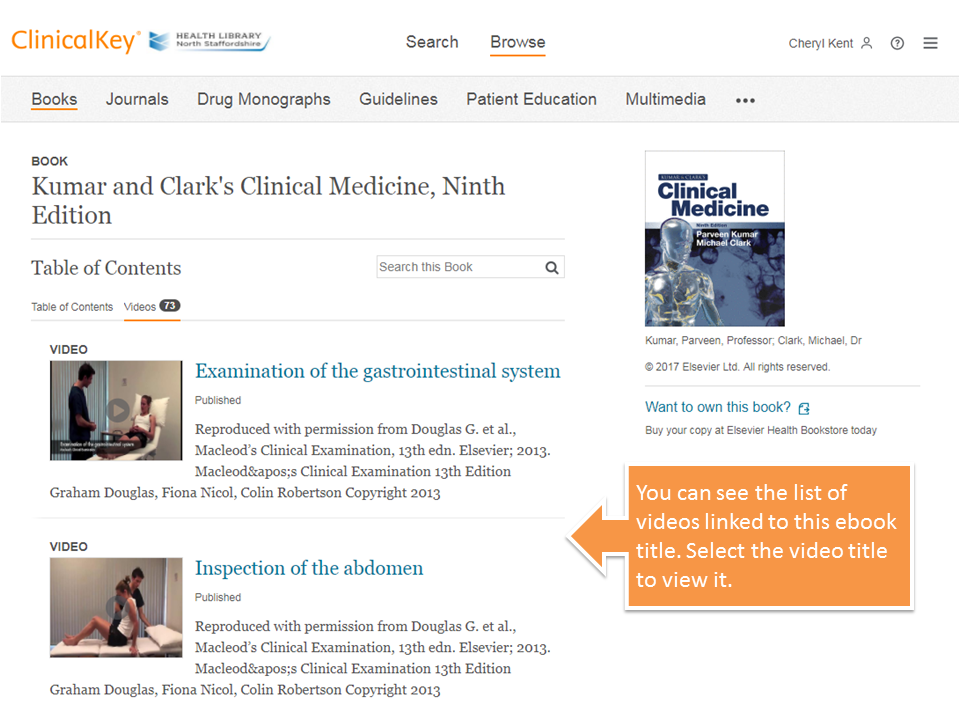
Screen-shot of video index

You can then select the video title to view it. Use the video controls to play, pause, rewind or stop the video. Close the video page to go back to the ebook.
Screen-shot of video page

Comments

Popular posts from this blog

Introducing a New Reading Experience in Clinical Key

  Clinical Key is a clinical search engine provided for our UHNM users only. Reading Assistant – a new feature from Clinical Key Clinical Key is adding a Reading Assistant, an integrated generative AI feature designed to help you quickly comprehend and navigate complex clinical content. This enhancement uses structured summarisation and inline clarification to present key insights from book chapters and journal articles, all while keeping the original expert-authored content fully visible and authoritative. What the Reading Assistant Provides Concise, structured summaries of the content currently on the page Clarification of complex concepts without changing the underlying evidence Faster navigation through long chapters and dense journal articles Reduced cognitive load when approaching complex or lengthy material How It Works — Designed for Clinical Reliability The Reading Assistant has been built with a strong emphasis on safety, privacy, and the integrity of evidence...

Article integrity checks for NHS staff

Want to have extra quality and integrity checks for the articles you find? Use library NHS resources and get warnings if the article you're reading fails integrity checks. NHS resources use LibKey to easily point you to subscribed resources. Now LibKey also does a number of integrity checks to help you feel confident with the articles you find. You’ll get warnings about: Retracted articles Retracted article citation (where an article includes references to articles which have been retracted) Expression of concern for the article (where publishers have concerns about some aspect of a published article) Problematic publishers information Warnings are presented at point of access whether from article links in databases or on the web via LibKey Nomad. Make sure you use library resources so that you are using LibKey links and integrity checks. For more help please contact the eresources librarian c.kent@keele.ac.uk

Login to Library Search – step-by-step instructions for NHS staff

  Library Search is a discovery tool, allowing you to find items within the library collections. You can search Library Search without logging in to view books and ebooks available in our collections. By logging in to your library account on Library Search you can access a range of additional functionality, such as: Viewing details of your library account Submitting a request to hold a book for you Adding items to your e-bookshelf Saving searches Note that for NHS users logging in to Library Search does not give you access to full-text items. As an NHS member of staff you access online resources using your NHS OpenAthens username. Anatomy of a Library Card First let’s take a quick look at the most important components of your library card. Your library card and library card number give you access to print resources as well as library services. They confirm that you are a member of the library. Your name : this will be printed on your card, so you’ll know it’s yours!...